

Small interactions, big smiles: making users love your interface

The secret to apps you can't put down
Ever wondered why TikTok is so addictive? Everything's in the tiny details! Discover how smart microinteractions transform good apps into can't-put-down experiences users love. In this guide, we’ll explore what microinteractions are, why they matter, and how they can transform ordinary apps into emotionally engaging, habit-forming experiences. You’ll learn about the psychology behind user satisfaction, practical examples from top platforms, and how to bring these ideas into your own UI/UX design - even on a budget.
Why microinteractions matter: the psychology of user happiness
Microinteractions are those tiny events in our apps that, when used wisely, create moments of user engagement and reward users for their actions. They are small design elements meant to be welcoming and memorable, ensuring users remember them and subconsciously keep coming back to your app.

They serve six essential functions:
- **Instant Feedback:**Immediate responses that confirm user actions - for example, a ripple on tap or a bounce at the end of a scroll.
- Direct control: Subtle motion gives users a sense of physically manipulating digital objects.
- Visual cues: Smooth animations guide users’ attention toward interactive elements.
- Emotional design: Delightful animations - like heart explosions - reward users’ actions.
- User engagement: Tiny, pleasant surprises encourage repeat visits and long-term retention.
- Human touch: Soft transitions make technology feel natural and approachable.
The pillars of perfect microinteractions
As stated by Dan Saffer, the author of the book Microinteractions, there are four main parts of microinteractions.
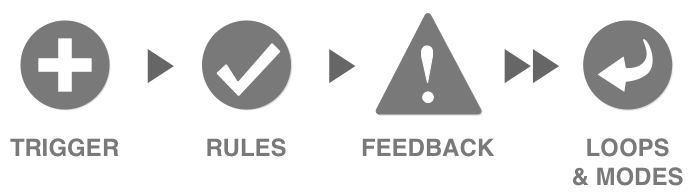
Trigger: what gets things started?
The trigger is what initiates an interaction. They can be user-initiated or system-initiated.
- User triggers: Every tap, swipe, or pull gesture creates an immediate reaction.
- System triggers: Automatic responses when certain conditions are met - for example, X’s blue “new tweets” button appearing after you’ve been away.
Rules: making it make sense
Rules determine what happens after a microinteraction triggers. They should feel natural and help prevent user errors. Gmail's "forgotten attachment" reminder is a perfect example – when you write "I've attached" but haven't actually attached anything, Gmail's got your back with a friendly reminder.
Feedback: keeping users in the loop
Feedback eliminates guesswork. Consider that satisfying green checkmark when checking username availability during registration. It's way better than completing an entire form only to discover your chosen username is taken (and having to retype everything... ugh).
The loops & modes: adapting to change
Loops and modes are the answer to a "What happens to a microinteraction when conditions change?" question.
Microinteractions in action
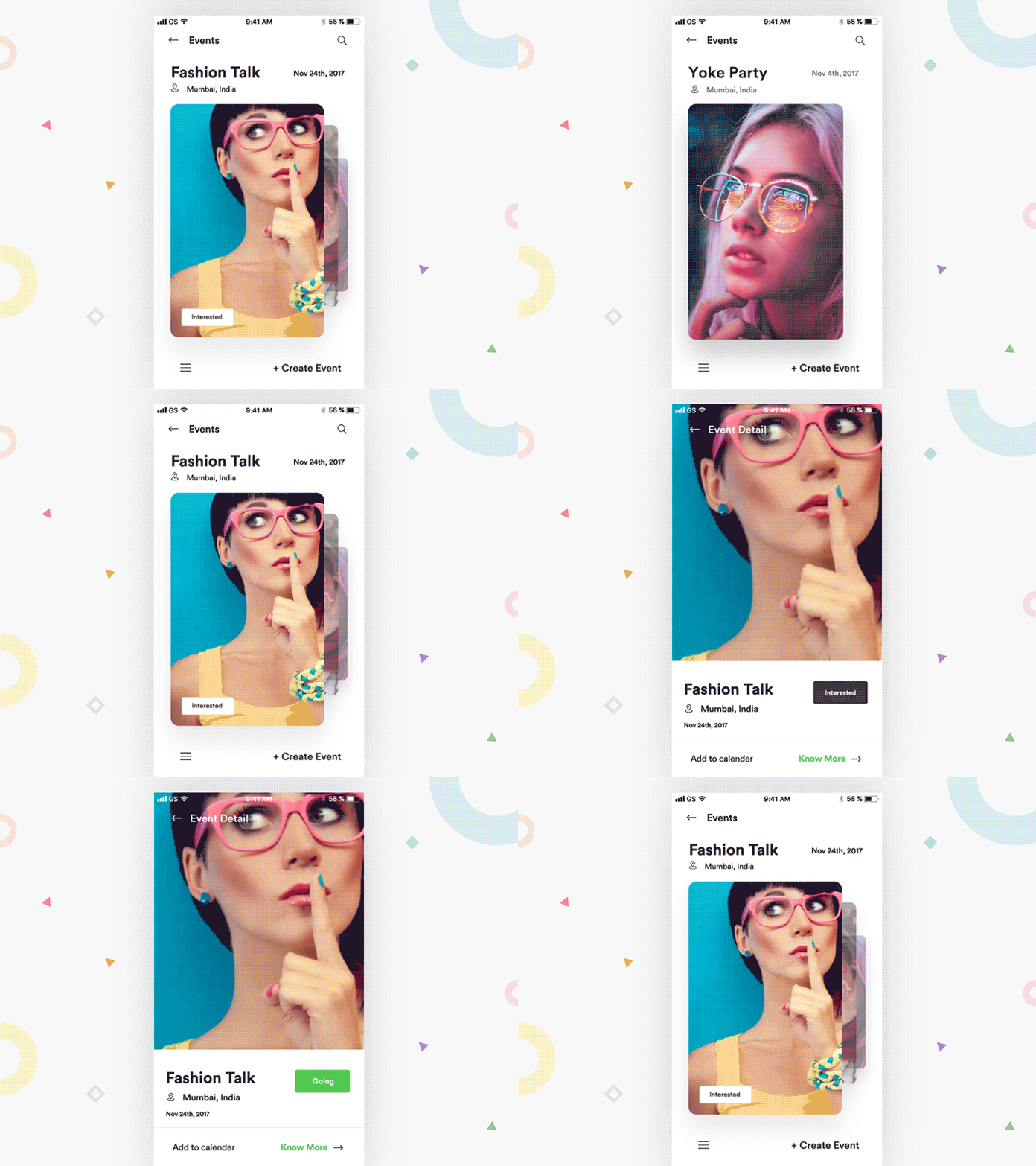
Swiping is intuitive and reminds users of physically moving elements on the screen, reducing the need for thinking and enhancing the user experience.
Keeping users informed
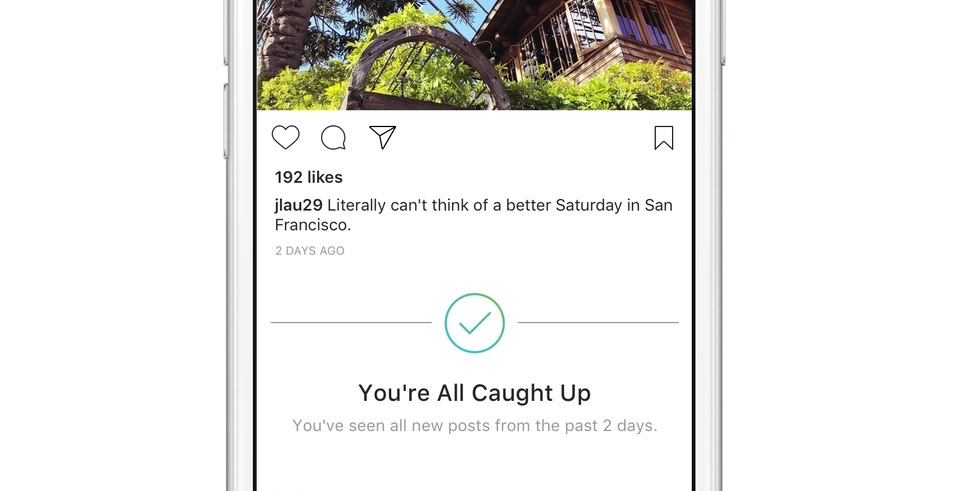
Don't let your user get bored. Keep them informed and (at least visually) engaged. Take a look at Instagram and its "You're all caught up" banner. It's truly brilliant – it prevents endless scrolling through old content, showing users that Instagram values their time.
User rewards
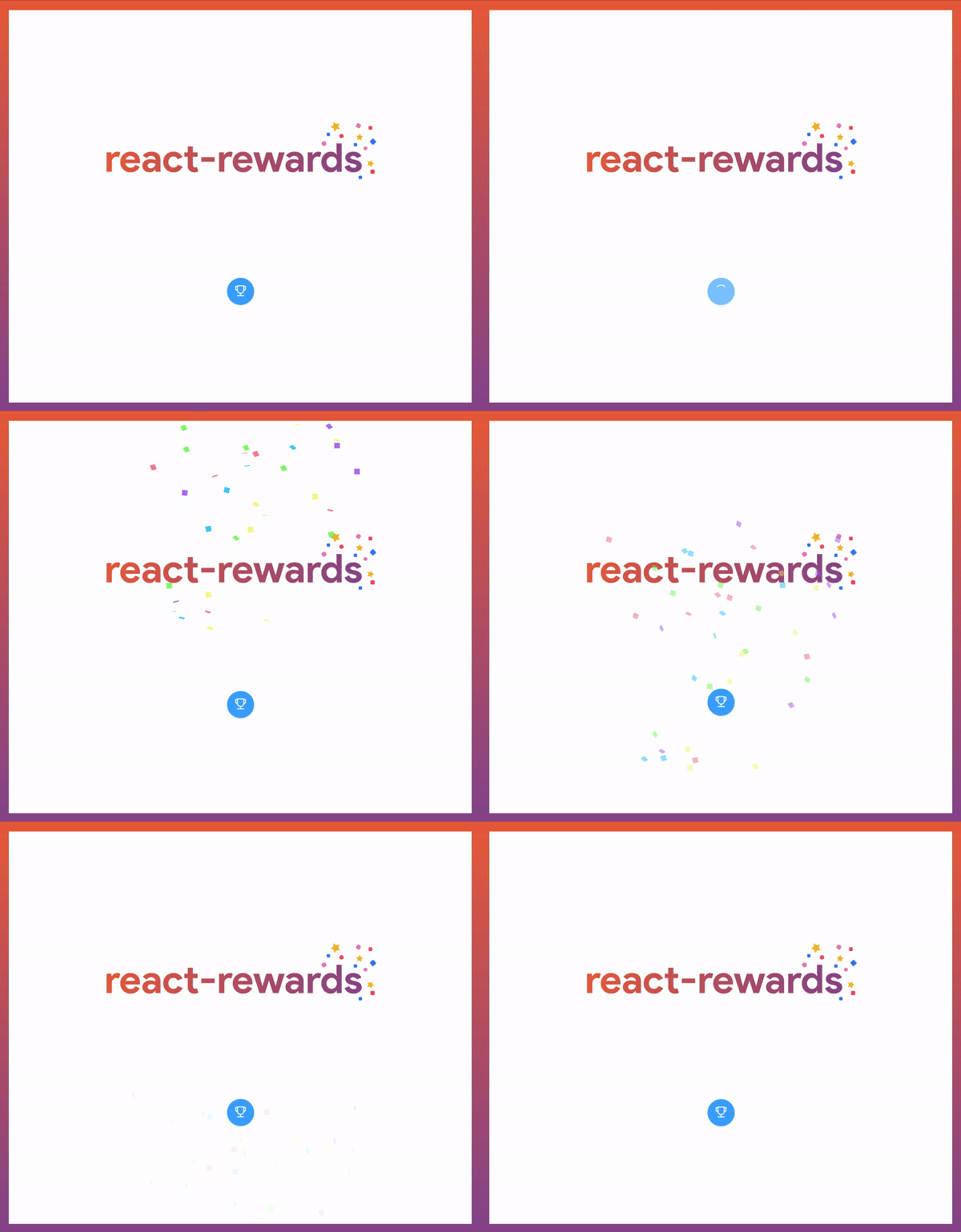
Reward your users for their actions. Facebook's Text Delights are perfect examples of rewarding user actions. They are animations that trigger when you type specific phrases in the comment section. For example, try typing "you're the best" or "wonderful time". For React developers, there's react-rewards - a library I created that lets you shower your users with confetti or emoji celebrations!

The "why should I care?" part - the emotional impact
Imagine you're at a bar and use your best pick-up line on someone amazing. They let you sit with them but show zero emotion – no smile, no feedback, nothing. Sure, you achieved your goal, but something crucial is missing: emotional feedback.
It's like the difference between a perfect 10 who's emotionally distant and a 9 who makes you feel fantastic. The same applies to software UX design - users will choose an app that feels more human over one that's technically perfect but emotionally cold. Well-designed microinteractions show users you care, encouraging them to return.
For a deeper dive into emotional design, read The human side of product design - where storytelling meets UX psychology.
Working with limited resources: design that delights on a budget
Not every company has a TikTok-sized design budget. But even small details can dramatically improve your product’s perception, thanks to the Halo Effect - a psychological bias where positive first impressions influence overall judgment. Polished microinteractions in onboarding or checkout can instantly make your app feel premium and trustworthy, even if it’s simple underneath.
Tip: Focus your design energy on key touchpoints - onboarding screens, confirmations, and key call-to-action buttons.
React-Rewards: easy user rewards on a budget
If you're on a budget, use React-rewards, a small library I created. It lets you wrap buttons with a confetti or emoji cannon in a few lines of code, rewarding users for actions like account registration or donations. These tiny details make a big impact.
Ready to enhance your app with engaging microinteractions? At Kellton Europe, our Product Design team helps brands craft interfaces that combine usability with emotional depth. Let’s create meaningful, human-centered experiences together - where every microinteraction counts. Check out how our Product Design experts can help you create an unforgettable user experience!
FAQ
What are microinteractions in UX design?
Microinteractions are small animations or responses in apps that provide feedback, enhance usability, and create emotional connections with users.
Why are microinteractions important in product design?
They make digital experiences feel smoother and more human. Well-designed microinteractions boost user satisfaction and retention.
What tools can help create microinteractions?
Designers often use tools like Figma, After Effects, or libraries such as Framer Motion and React-Rewards to add interactive details.
How can small design details improve app perception?
Thanks to the Halo Effect, users associate well-polished details with overall quality, making your app seem more professional and enjoyable.
Jakub Szewczyk
Senior Frontend Developer
Kuba spends most of his time in the wild worlds of React and React-Native. When he’s not blazing digital trails, you can find him in his studio working on new music or behind his desk, tackling whatever challenge has sparked his curiosity that week.

Sebastian Spiegel
Backend Development Director
Inspired by our insights? Let's connect!
You've read what we can do. Now let's turn our expertise into your project's success!